Business • Solo / Duo / Trio / Quatro
Special Cargo Warehouse
The business card separates entry cost, production or stock preparation, the owner's sale payout and every helper's actual reward.
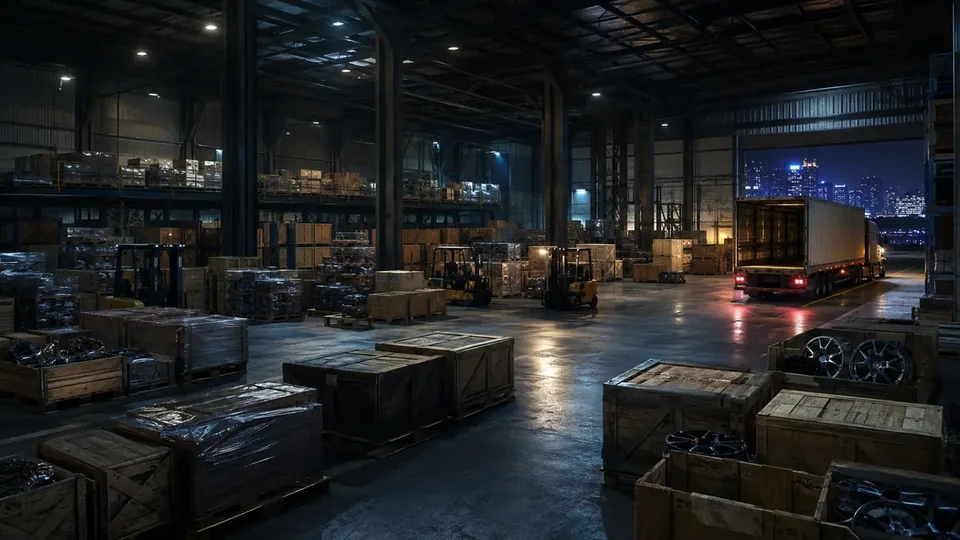 SPECIAL / CARGO
01
Complete financial model
0 min • no fixed waitNo fixed cooldown — another cycle can begin immediately after completion.
the sale goes to the owner and every helper receives an extra bonus; it is not deducted from the owner
02
Special Cargo: from CEO Office to the first crate sale
BUSINESS STEP BY STEP • COMPLETE WALKTHROUGH
A concrete two-purchase flow: the Office grants SecuroServ, the warehouse stores crates, every source order costs cash, and each sale uses supplied vehicles under one timer.
Start here
The correct menu, location and first entry point for a Special Cargo Warehouse.
Phone browser → Dynasty 8 Executive → buy an Office. At your Office desk, open SecuroServ Special Cargo.
The terminal shows the warehouse map only to its owner registered as CEO. A purchased warehouse gets its own crate icon.
Buy at least one small warehouse from the terminal map, then return to the cargo screen and choose Buy Special Cargo.
- The CEO Office does not store crates; a separate Special Cargo Warehouse is required.
- Buying a warehouse adds no cargo and does not unlock a free standard crate.
- If the terminal is unavailable, finish other work and register as CEO through the Interaction Menu.
From zero to the first payout
Buy a CEO Office and a separate warehouse, order 1/2/3 crates from the terminal, recover the units that survive and sell a small batch from the warehouse laptop.
- 011. Buy a CEO OfficeFrom $1,000,000; grants the SecuroServ terminal and CEO status, but no storage.
- 022. Buy a crate warehouseA small warehouse from $250,000 is enough for the first cycle.
- 033. Order one cratePay $2,000 for the simplest onboarding; the fee is a mandatory source cost.
- 044. Recover and deliver cargoA variant may split units; storage credits only crates actually delivered.
- 055. Sell a small batchEnter the warehouse, use its laptop and launch a sale in a safe session.
First Buy Special Cargo order
Every step states the objective, actions, completion condition and a safe way back after a mistake.
01 Buy Special Cargo — first order
Goal Credit the first paid crate to the chosen warehouse.
Key actions - At the Office, choose the correct warehouse and order 1 crate for $2,000.
- Travel to the revealed objective; the variant may require taking a vehicle, collecting a package or identifying the correct cargo.
- Deliver the marked crate to the yellow point at the selected warehouse.
Completion point The Assistant confirms delivery and the warehouse laptop shows at least one crate.
What it unlocks next Sale of that batch, further 1/2/3-crate orders and optional staff sourcing.
How to recover the run If the crate is destroyed, the source fee is lost. Order another source job; the warehouse and previously saved units remain.
Requirements, purchase and entry budget
The cheapest path is an Office from $1,000,000 plus a small warehouse from $250,000. The first source costs at least $2,000; apartments and a Vehicle Warehouse do not replace these assets.
CEO Office — parent terminal
Status
From $1,000,000; manages warehouses but stores no cargo itself.
- Buy through Dynasty 8 Executive.
- Register as CEO and use the computer.
Special Cargo Warehouse — required storage
Status
From $250,000; capacity depends on size, but a small one supports a complete first cycle.
- Choose a site on the SecuroServ map.
- Learn its yellow delivery point and internal sale laptop.
Cash for the first source
Status
1/2/3 crates cost $2,000/$8,000/$18,000. The terminal has no standard free sourcing option.
- Choose one crate to start.
- Treat the fee as risk capital: lost cargo does not automatically refund it.
First complete cycle
After setup, complete these actions in a Special Cargo Warehouse before attempting the first settlement.
01 Select the warehouse and one crate
ActionAt the Office terminal, choose the intended warehouse card, then Buy → 1 crate.
How to verifyBefore payment, the screen identifies the destination warehouse and $2,000 price.
How to recover the runIf the wrong property was selected, finish delivery there; crates cannot be moved between warehouses.
02 Secure the correct cargo
ActionRead the variant prompt and collect/steal only crates with active markers.
How to verifyA cargo marker remains on the player/vehicle and the route points to your warehouse.
How to recover the runAfter death, return for the dropped crate before time expires; after destruction, order a new source job.
03 Verify credit
ActionAfter delivery, enter the warehouse and check the count on its laptop.
How to verifyStock rises only by delivered units, not the original order quantity.
How to recover the runIf the screen did not refresh after success, leave/re-enter or change session without buying again.
Paid sourcing and crate stock
Crates are not produced passively. Buy a 1/2/3-crate order for $2,000/$8,000/$18,000 and deliver surviving cargo, or optionally commission warehouse staff.
This is the mandatory cost of a 1/2/3-crate order, not a warehouse-wide setup fee.
Split or destroyed crates are not added to stock.
Waiting in-session creates no crates by itself.
Choose sourcing method and pace
Self-run Buy Special Cargo
$2,000 / $8,000 / $18,000Choose crate count and actively recover each surviving unit.
Warehouse staff
Optional sourcing feeSpeak to staff inside that specific warehouse; the result arrives later and does not replace the first manual onboarding run.
BASELINE, NOT AN EVENTSource costs are baseline; a weekly bonus does not remove acquisition cost or cargo-loss risk.
Upgrades after the first cycle
Upgrades are separate purchases. This guide identifies those that change operating results and those that affect only convenience or risk.
Master the terminal and first sale before buying Office extras; Office decor does not affect crates.
A larger warehouse increases capacity but does not reduce source fees or every sale's vehicle count.
Another source is subject to a short system lockout; do not buy another warehouse merely to skip learning the flow.
Each warehouse has separate stock on the Office map and its own laptop.
Decision order
Capacity decision
Match warehouse size to sourcing frequency and available crew.
Another/larger warehouse is an expansion, not a first-payout requirement.
- More crate capacity and separate inventory per location.
- No effect on mandatory 1/2/3-crate fees.
Solo or crew — concrete assignment
Batch size and delivery-vehicle count matter more than the warehouse's nominal maximum value.
SOLO — one crate / small batch
The owner runs the source and sells before a variant demands many vehicles.
CONCRETE ROLES
- The sourcer identifies the correct package and returns it to storage.
- The seller reads the variant before departure and prioritises the slowest vehicle.
DUO–QUAD — split crates/vehicles
During sourcing, each takes a package; in Sell, each driver gets a vehicle or drop sequence.
CONCRETE ROLES
- The leader tracks the destination warehouse and shared timer.
- Drivers report destroyed cargo so others do not return for it.
First Special Cargo sale
Check batch state and team first, then deliberately choose a session and launch settlement from the correct terminal.
- At least one credited crate.
- A batch matched to crew and available time.
- Invite Only for the first Sell.
- Enter the warehouse and use its laptop.
- Choose Sell and an available batch.
- After launch, count vehicles and assign drivers.
The system supplies a Brickade, Tug or Cuban 800/Titan aircraft variant; a larger batch can add vehicles or drops.
Safety or public-session bonus
Invite-only session — first run
Benefit
Removes rivals while learning a truck, boat or aircraft route.
Risk / failure condition
No rival-player bonus; mechanics and baseline settlement remain unchanged.
Public session — deliberate risk
Benefit
A rival-count high-demand bonus may apply; it is not part of this guide's baseline values.
Risk / failure condition
A rival can destroy paid crates; a public bonus is not a guaranteed recovery of cost.
Delivery families and response
Brickade — road delivery
How to recognise it
One or more armored trucks and road drops wait at the warehouse.
Action
Start the slowest route first; bypass roadblocks instead of taking prolonged fights.
Tip
Before a tight drop, clear only the immediate threat to the truck.
Risk / failure condition
Destroying a truck loses its assigned cargo while the shared timer continues.
How to recover the run
Finish surviving trucks; do not return for a destroyed vehicle.
Tug — sea delivery
How to recognise it
Cargo waits on a Tug at the docks and the buyer is offshore.
Action
Maintain a steady course; support clears boats/helicopters without obstructing the helm.
Tip
Do not abandon the slow Tug to chase every attacker.
Risk / failure condition
Destroying the vessel before the point ends that cargo.
How to recover the run
Correct course early after a collision; if the Tug is immobilised, focus the crew on surviving sale portions.
Cuban 800 / Titan — drops
How to recognise it
The aircraft receives a series of drop points and may be attacked after take-off.
Action
Gain altitude before the route, stabilise at each drop and do not dive after a missed point.
Tip
Escort should handle hostile aircraft while the pilot holds the drop line.
Risk / failure condition
A crash or missed delivery reduces settled cargo.
How to recover the run
After a missed point, turn wide; after losing an aircraft, take another only if the HUD shows one and time remains.
After the final successful point, the game settles delivered crates. Subtract paid source fees from revenue; a weekly multiplier is not baseline.
What to do next
A repeatable loop after the first successful payout, with cost and risk checked before the next start.
- 01
Order for available time
1 crate minimises risk; 3 crates reduce launches at greater cash exposure.
- 02
Check units actually credited
Do not assume a full order after a partial mission.
- 03
Sell a crew-sized batch
After settlement, return to the Office or commission warehouse staff.
Common mistakes and fixes
Treating the Office as ready storage
FixBuy a separate Special Cargo Warehouse at the terminal.
Expecting a free standard source
FixReserve at least $2,000; the terminal charges before the mission.
Counting ordered rather than delivered crates
FixAfter each mission, inspect that warehouse's stock.
Checklist: have / done / ready to settle
HAVE
A CEO Office
A separate Special Cargo Warehouse
At least $2,000 for sourcing
DONE
Ordered and delivered the first crate
Verified stock on the warehouse laptop
READY TO SELL
Batch fits the crew plan
Session and vehicles are prepared
Common blockers and recovery
Repair the business or current mission state; do not repurchase a property as a workaround.
The terminal does not show the warehouse map
Check in order
- Register as CEO.
- Verify you are at your own Office computer.
The ordered crate count is missing after the mission
Check in order
- Count units actually delivered.
- Verify you are viewing the correct warehouse.
The sale supplied more vehicles than drivers
Check in order
- Count shared time and slowest routes.
- Decide which vehicles can be fully completed.
03
Expanded informational overview
Guide scopeThis section organizes the complete cycle: requirements, phases, figures and dependencies. The detailed operation flow is in the walkthrough above.
04
How the full cycle works
This section complements the walkthrough with full-cycle dependencies: unlock, preparations, finale, settlement and the next available attempt.
Purchase and unlock
The base requirement is CEO Office + Warehouse; the minimum entry cost is shown in the financial panel.
Setup
The business must be configured and remain active. Upgrades should be evaluated separately from the property price.
Job preparation
Job value and preparation time form one result rather than separate earnings.
Sale or collection
The panel separates owner proceeds, costs, commissions and extra helper rewards.
Next cycle
No fixed cooldown — another cycle can begin immediately after completion.
05
What affects the result
The range shows small, typical and full variants where value is variable.
Supply costs and agent fees are deducted before the owner's result.
Owner proceeds plus a separate reward for each helper. The sale value is not split equally.
The comparison uses 1 hr 30 min / 3 hrs 30 min / 6 hrs for the complete cycle.
Main strengths
- Can combine active sales with passive value accrual.
- Helpers do not automatically reduce the owner's proceeds.
Constraints
- Purchase payback depends on regular use.
- A helper's reward can be far lower than the owner's proceeds and is shown separately.
06
Solo / Duo / Trio / Quatro variants
Every supported team size shows its host, partner and team model. Provisional rates are clearly labelled, and incomplete data is explained alongside the result.
Solo: full pace control and no crew wait.
- Host / owner
- $513,000
- Team net
- $513,000
- Cooldown
- 0 minno fixed wait
Duo: the owner keeps the proceeds and 1 helper receive separate rewards.
- Host / owner
- $513,000
- Each partner
- $60,000
- Team net
- $573,000
- Cooldown
- 0 minno fixed wait
Trio: the owner keeps the proceeds and 2 helpers receive separate rewards.
- Host / owner
- $513,000
- Each partner
- $60,000
- Team net
- $633,000
- Cooldown
- 0 minno fixed wait
Quatro: the owner keeps the proceeds and 3 helpers receive separate rewards.
- Host / owner
- $513,000
- Each partner
- $60,000
- Team net
- $693,000
- Cooldown
- 0 minno fixed wait
07
Complete figures by team
Typical values for the selected cycle; every cell also contains a min–max range.
| Team | Cooldown | Team gross | Costs + fees | Host / owner | Each partner | Team net | Host / owner $/h | Team $/h |
|---|---|---|---|---|---|---|---|---|
| SOLO | 0 minCooldown • no fixed wait | $735,000min: $240,000 · typical: $735,000 · max: $2,220,000 | $222,000min: $48,000 · typical: $222,000 · max: $666,000 | $513,000min: $0 · typical: $513,000 · max: $2,172,000 | — | $513,000min: $0 · typical: $513,000 · max: $2,172,000 | $146,571min: $0 · typical: $146,571 · max: $620,571 | $146,571min: $0 · typical: $146,571 · max: $620,571 |
| DUO | 0 minCooldown • no fixed wait | $735,000min: $240,000 · typical: $735,000 · max: $2,220,000 | $222,000min: $48,000 · typical: $222,000 · max: $666,000 | $513,000min: $0 · typical: $513,000 · max: $2,172,000 | $60,000min: $24,000 · typical: $60,000 · max: $60,000 | $573,000min: $24,000 · typical: $573,000 · max: $2,232,000 | $146,571min: $0 · typical: $146,571 · max: $620,571 | $163,714min: $6,857 · typical: $163,714 · max: $637,714 |
| TRIO | 0 minCooldown • no fixed wait | $735,000min: $240,000 · typical: $735,000 · max: $2,220,000 | $222,000min: $48,000 · typical: $222,000 · max: $666,000 | $513,000min: $0 · typical: $513,000 · max: $2,172,000 | $60,000min: $24,000 · typical: $60,000 · max: $60,000 | $633,000min: $48,000 · typical: $633,000 · max: $2,292,000 | $146,571min: $0 · typical: $146,571 · max: $620,571 | $180,857min: $13,714 · typical: $180,857 · max: $654,857 |
| QUATRO | 0 minCooldown • no fixed wait | $735,000min: $240,000 · typical: $735,000 · max: $2,220,000 | $222,000min: $48,000 · typical: $222,000 · max: $666,000 | $513,000min: $0 · typical: $513,000 · max: $2,172,000 | $60,000min: $24,000 · typical: $60,000 · max: $60,000 | $693,000min: $72,000 · typical: $693,000 · max: $2,352,000 | $146,571min: $0 · typical: $146,571 · max: $620,571 | $198,000min: $20,571 · typical: $198,000 · max: $672,000 |
08
Key facts
VIDEO
Video walkthrough
Verified video · EN
The ULTIMATE CEO Cargo Guide | GTA Online (UPDATED 2026)
Warehouse purchase, crates, staff and sale.
- Channel
- HarmNone
- Published
- 7 Jun 2026
- Checked
- 29 Aug 2026