Business • 1P
Tow Truck Service
A separate Salvage Yard module: buy a Tow Truck, launch Service at the vehicle, hook the marked wreck correctly, return to the lift and let staff process it. This work builds safe activity but does not complete a Salvage Yard Robbery.
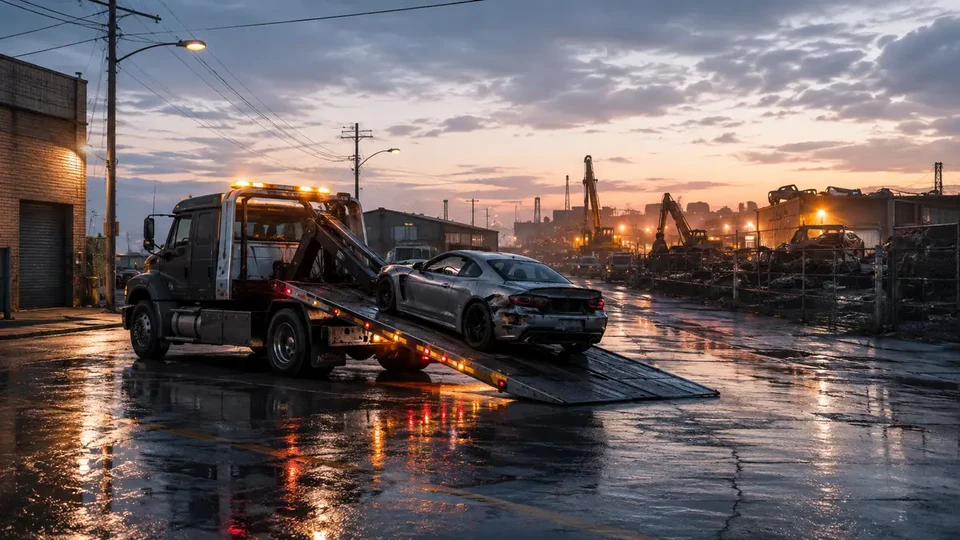 SALVAGE / YARD / TOW / SERVICE
01
Complete financial model
One processed vehicle pays $30,000–40,000 with no launch fee. Aligned secondary sources, confidence B.
2 minAfter completing a tow, another assignment can be launched after 2 min; two bays can process vehicles concurrently.
Verified permanent rules
Towing and processing
- There is no launch fee; a processed vehicle pays $30,000–40,000.
- Processing takes 1 hr 36 min without Staff or 48 min with Staff. Two vehicles can be processed concurrently.
- The timer may complete offline; payout appears at the next login. Another tow can start 2 min after completion.
| Payout target | Minimum | Maximum |
|---|---|---|
| One processed vehicle | $30,000 | $40,000 |
Rockstar does not publish a complete numeric table; values come from aligned secondary/community sources (confidence B).
value goes to the business owner; helpers receive no cut from this sale
02
Tow Truck Service: first wreck without confusing it with a robbery
BUSINESS STEP BY STEP • COMPLETE WALKTHROUGH
A separate Salvage Yard module: buy a Tow Truck, launch Service at the vehicle, hook the marked wreck correctly, return to the lift and let staff process it. This work builds safe activity but does not complete a Salvage Yard Robbery.
Start here
The first contact, correct panel or marker, and checks when the game does not show the entry point.
From the purchased Salvage Yard use Maze Bank Foreclosures → Renovate and add either Tow Truck variant. Once delivered, the truck sits in its marked shop bay.
Approach the Tow Truck inside the Salvage Yard. The correct prompt launches Tow Truck Service — not the weekly-car computer or Planning Wall.
Register as a Boss, enter the truck and start the service. The game assigns one broken or abandoned vehicle in Los Santos/Blaine County.
- No truck: the Salvage Yard alone is insufficient — check the Tow Truck add-on under Renovate.
- No prompt: finish active robbery/prep work, register as a Boss and ensure a previous wreck is not occupying the bay.
- Do not launch this function at the computer; the computer selects Salvage Yard Robberies, not towing.
From zero to the first payout
Buy the base Salvage Yard first, then the Tow Truck add-on. Start beside the truck, reach one marked vehicle, reverse-hook it and deliver it to the yellow processing zone.
- 011. Own a Salvage YardThe property is the hub but does not include a functional Tow Truck in its base price.
- 022. Add a Tow TruckThe least expensive option in the site model costs $650,000; styling does not change the hook procedure.
- 033. Launch Service at the truckEnter the marked vehicle after Boss registration and accept the assigned target.
- 044. Line up the truck's rearReverse in line with the wreck's bumper; do not attempt to attach from the front or side.
- 055. Lower the hook and verify attachmentSlow down, lower the boom as prompted and move only when the vehicle follows stably.
- 066. Deliver to the liftAvoid sharp turns, lose police/attackers and enter the Salvage Yard's yellow delivery zone.
- 077. Wait for processingIt takes 1 hr 36 min without Staff and 48 min with Staff. The timer may finish offline; the $30,000–40,000 payout appears at the next login when you were away.
Permanent wreck-recovery variants
Each variant has its own objective, order, completion point and recovery — it is not placeholder copy for another function.
01 Tow Truck Service — Abandoned Vehicle
Goal Recover an abandoned vehicle with no active owner and bring it to the lift.
Key actions - On approach, position the truck for a straight reverse line.
- Lower the hook at the bumper and verify a stable attachment before accelerating.
- Use wide roads, avoid ramps and enter the processing marker.
Completion point The wreck is detached in the bay and staff begin processing.
What it unlocks next Raises current Tow Service activity used by passive safe income; it does not count a weekly robbery.
How to recover the run If the hook drops, stop on level ground, reverse to the bumper again and lower the boom. Do not drag the wreck with another vehicle.
02 Tow Truck Service — Wanted / Hostile Pickup
Goal Take the wreck despite police or an aggressive owner and return safely to the Salvage Yard.
Key actions - Clear the immediate threat without destroying the marked vehicle.
- Reverse-hook the wreck and use roads without tight hairpins during escape.
- Lose the wanted level before entering the shop when the HUD requires it.
Completion point The target is accepted in the bay after pursuit ends and processing begins.
What it unlocks next Adds a successful tow to safe activity just like the quiet variant.
How to recover the run If an attacker dislodges the wreck or police block the gate, disengage, lose pursuit and hook again. If the target is destroyed, wait for formal failure instead of returning with an empty truck.
Requirements, purchase and extras
A Salvage Yard alone does not grant Tow Service. The function requires a purchased Tow Truck; Staff is optional and affects processing, while the Wall Safe only stores income.
Salvage Yard — parent property
Status
Provides the building and processing bay but does not launch Tow Service by itself.
- Buy a location through Maze Bank Foreclosures.
- Complete the Yusuf/Jamal introduction.
Tow Truck — required unlock
Status
The least expensive option starts at $650,000; without one this activity is not ready to launch.
- Buy the add-on for the owned Salvage Yard.
- Wait for the truck to appear in its bay.
Staff and Wall Safe — optional
Status
Staff shortens processing from 1 hr 36 min to 48 min; the Wall Safe raises passive-safe capacity from $100,000 to $250,000. Neither is needed for the first hook.
- Run the first job without extras when budget is tight.
- Add them later for throughput or less frequent collection.
First complete run
For the first run use a quiet session, launch Service at the correct truck, set the hook before driving away and do not destroy the target vehicle.
01 Launch the correct prompt
ActionRegister as a Boss, approach the Tow Truck and accept Tow Truck Service.
How to verifyThe HUD shows one wreck, not the three weekly computer cars.
How to recover the runIf you opened a robbery plan, finish that active work before towing; the functions do not share a launch point.
02 Attach without damage
ActionStraighten the truck, reverse to the bumper, lower the hook and verify the wreck follows stably.
How to verifyThe objective changes to returning to the Salvage Yard and the target is physically lifted.
How to recover the runChange angle on level ground and attach again; pushing the wreck usually worsens alignment.
03 Deliver and verify queue
ActionEnter the yellow zone, wait for detachment and inspect the occupied lift.
How to verifyThe mission ends and the wreck remains in processing state.
How to recover the runIf the zone will not accept the car, lose police, straighten the combination and enter truck-first with the wreck correctly hooked.
Hook, delivery and processing queue
The states below belong only to this function and do not automatically unlock the property's other services.
The building alone does not grant service; the active vehicle is the functional unlock.
The computer/Planning Wall belongs to robberies and the safe is collection only.
Without Staff: 1 hr 36 min. With Staff: 48 min. The timer may finish offline and payout appears at the next login.
After the 2 min cooldown you can start another tow when one of the two bays is available.
This is a mechanical link, not a second immediate payout at hook time.
Required Tow Truck versus optional Staff
Tow Truck — mandatory
From $650,000Both variants run the same service and use the same hook procedure.
Staff — optional throughput
Check the add-on price under RenovateShortens one vehicle's processing from 1 hr 36 min to 48 min but does not block the first run or hook.
BASELINE, NOT AN EVENTRockstar documents the mechanic but does not publish a complete numeric table. The stated operational details and ranges are supported by aligned current secondary/community sources (confidence B) and are labelled accordingly.
Solo and real crew roles
The truck driver owns the tow; a helper can clear the street or manage pursuit but should not ram or destroy the wreck.
SOLO — driver and hook operator
This is the service's natural mode: one truck, one wreck and one return point.
CONCRETE ROLES
- The driver aligns the rear, lowers the hook and chooses a safe route.
- Under pursuit, stabilise the combination first, then lose attackers without destroying the target.
DUO — driver and escort
A helper is useful only against an aggressive owner or police; it does not create a second wreck.
CONCRETE ROLES
- The driver stays with the truck and owns the hook.
- The escort clears threats and the route while staying away from the wreck.
First tow step by step
Complete every marked condition and wait for the correct settlement before beginning the next cycle.
- Check that the lift is not blocked by a prior wreck.
- Refill armour and choose a wide return route.
- Make sure you launch in the Salvage Yard's purchased Tow Truck.
- Enter the Tow Truck and launch the Service prompt.
- Drive to the single marked wreck.
- Reverse-hook it and return once the objective changes.
The Tow Truck is mandatory and cannot be replaced by a Cargobob, another tow vehicle or pushing. The target must remain hooked through the delivery zone.
Crew
Solo / quiet session
USE
The clearest first hook and safe drive without player collisions.
LIMIT
You handle police or an aggressive owner alone.
Helper as escort
USE
Can reduce combat and roadblock pressure.
LIMIT
Does not speed processing or replace Staff.
Normal pickup and obstructed variant
Quiet wreck
How to recognise it
No wanted level or active attackers at the vehicle.
Action
Align straight, hook and return using wide roads.
Tip
Slow for kerbs — suspension bounce is the most common cause of a dropped hook.
Risk / failure condition
A sharp turn can rotate the wreck and jam the combination.
How to recover the run
Stop, straighten and reattach on level ground.
Pursuit / aggressive owner
How to recognise it
NPC fire or a wanted level begins when entering the area.
Action
Remove the immediate threat, attach the target and break pursuit without ramming the wreck.
Tip
A helper drives ahead of the truck, not beside the hook.
Risk / failure condition
Entering the Salvage Yard with an active escape condition may not trigger delivery.
How to recover the run
Move away, clear the required state and re-enter with the vehicle correctly attached.
A successful run is confirmed when the wreck detaches onto the lift and enters processing. After 1 hr 36 min without Staff or 48 min with Staff, the owner receives $30,000–40,000; the timer may finish offline and payout appears on login. Safe activity rises separately.
What to do next
After delivery, verify the lift accepted the wreck. The next job is available after 2 min; two bays can process two vehicles concurrently.
- 01
Check lift capacity
Do not start another target when the shop cannot accept a wreck.
- 02
Complete one clean tow
Reverse-hook, avoid abrupt manoeuvres and bring the target to the zone.
- 03
Collect both effects separately
Wreck payment follows processing; safe income is collected at its own panel.
Common mistakes and fixes
Treating the property alone as ready
FixAdd a Tow Truck; there is no service prompt without it.
Starting at the robbery computer
FixTow Service launches at the truck, not the weekly-car list.
Expecting pay at the hook
FixDeliver the wreck and wait for processing; the safe is another separate flow.
Checklist: have / done / ready to earn
HAVE
A Salvage Yard
A purchased Tow Truck
A free processing bay
DONE
Started at the correct truck
A stable reverse hook
Cleared pursuit when required
READY TO COLLECT
The wreck is on the lift
I understand delayed processing
I will collect the safe separately
Common blockers and recovery
Repair the current function's state instead of repurchasing the property or launching another module.
Tow Truck is not visible
Check in order
- Check Salvage Yard ownership and its Renovate add-on.
- Finish active work and re-enter the interior.
- Check whether the vehicle is already assigned to an active run.
The hook will not attach
Check in order
- Align the truck's rear with the correct bumper.
- Slow down and lower the boom as prompted.
- Remove obstructions between hook and car.
The zone will not accept the wreck
Check in order
- The wreck must still be on the hook.
- Clear the wanted level when shown by HUD.
- Check whether the bay is occupied.
03
Expanded informational overview
Guide scopeThis section organizes the complete cycle: requirements, phases, figures and dependencies. The detailed operation flow is in the walkthrough above.
04
How the full cycle works
This section complements the walkthrough with full-cycle dependencies: unlock, preparations, finale, settlement and the next available attempt.
Purchase and unlock
The base requirement is Salvage Yard + Tow Truck; the minimum entry cost is shown in the financial panel.
Setup
The business must be configured and remain active. Upgrades should be evaluated separately from the property price.
Job preparation
Job value and preparation time form one result rather than separate earnings.
Sale or collection
The panel separates owner proceeds, costs, commissions and extra helper rewards.
Next cycle
After completing a tow, another assignment can be launched after 2 min; two bays can process vehicles concurrently.
05
What affects the result
The range shows small, typical and full variants where value is variable.
Supply costs and agent fees are deducted before the owner's result.
Owner proceeds plus a separate reward for each helper. The sale value is not split equally.
The comparison uses 6 min / 10 min / 18 min for the complete cycle.
Main strengths
- Can combine active sales with passive value accrual.
- Helpers do not automatically reduce the owner's proceeds.
Constraints
- Purchase payback depends on regular use.
- A helper's reward can be far lower than the owner's proceeds and is shown separately.
06
Solo / Duo / Trio / Quatro variants
Every supported team size shows its host, partner and team model. Provisional rates are clearly labelled, and incomplete data is explained alongside the result.
Solo: full pace control and no crew wait.
- Host / owner
- $30,000–$40,000
- Team net
- $30,000–$40,000
- Cooldown
- 2 min
07
Complete figures by team
Typical values for the selected cycle; every cell also contains a min–max range.
| Team | Cooldown | Team gross | Costs + fees | Host / owner | Each partner | Team net | Host / owner $/h | Team $/h |
|---|---|---|---|---|---|---|---|---|
| SOLO | 2 minCooldown | $30,000–$40,000min: $30,000 · max: $40,000 | $0min: $0 · typical: $0 · max: $0 | $30,000–$40,000min: $30,000 · max: $40,000 | — | $30,000–$40,000min: $30,000 · max: $40,000 | $180,000–$240,000min: $180,000 · max: $240,000 | $180,000–$240,000min: $180,000 · max: $240,000 |
08
Key facts
VIDEO
Video walkthrough
Verified video · EN
GTA Online Ultimate Tow Truck Guide, New Passive Business Guide, How Much Money Can You Make?
Tow service, job flow and passive-income effect.
- Channel
- TheProfessional
- Published
- 17 Dec 2023
- Checked
- 29 Aug 2026