Business • Solo / Duo / Trio / Quatro
Auto Shop Customer Cars
The business card separates entry cost, production or stock preparation, the owner's sale payout and every helper's actual reward.
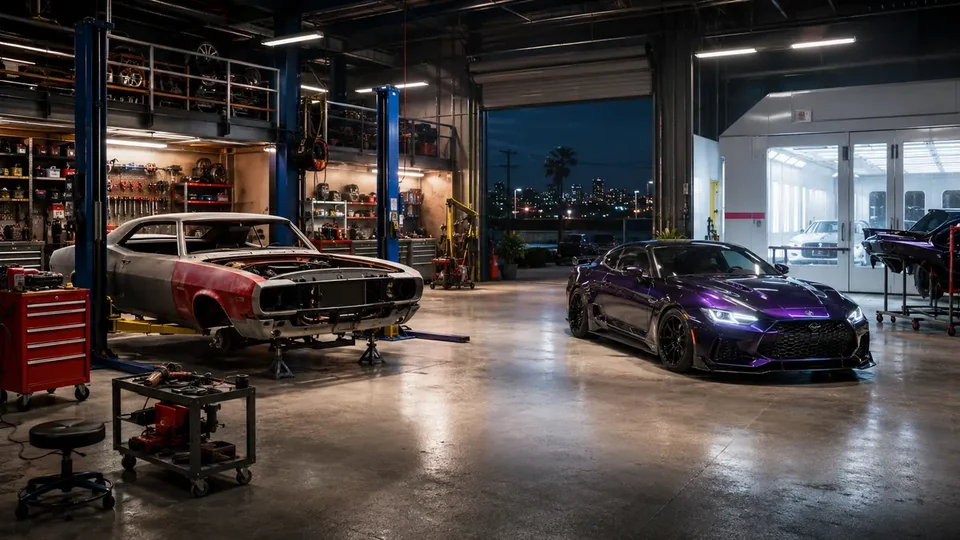 AUTO / SHOP / SERVICE
01
Complete financial model
0 min • no fixed waitNo fixed cooldown — another cycle can begin immediately after completion.
owner and participants receive separate payouts
02
Auto Shop Service: from LS Car Meet to the first customer car
BUSINESS STEP BY STEP • COMPLETE WALKTHROUGH
Customer Car Service onboarding: separate functional purchase, workshop activation, first customer vehicle, required specification, refundable cash float, delivery and damage recovery.
Start here
The exact location, required unlock and checks when the correct panel or marker does not appear.
Visit the graffitied LS Car Meet warehouse in Cypress Flats and meet Mimi, then buy an Auto Shop through Maze Bank Foreclosures; the site model starts the property at $1,670,000.
The owned Auto Shop icon leads to KDJ and Sessanta. After the introduction use its board/laptop for the Impounded Car setup, then the customer-car lift.
the Car Lift on the main Auto Shop floor; not the Robbery Contract Job Board When the vehicle appears, approach the correct station, choose service and read the modification list before buying anything.
- Sessanta's text about a new customer car on the Car Lift appears only after service activation; entering the property alone does not create a customer.
- $20,000 / $35,000 / $50,000 refundable cash float by vehicle class must be available when confirming service and returns in a correct settlement; it is not a permanent purchase.
- Robbery Contracts on the Job Board, Exotic Exports on the list and the personal mod shop are separate Auto Shop functions has its own panel and progress. Do not use it to recover a missing customer.
From zero to the first payout
Visit the graffitied LS Car Meet warehouse in Cypress Flats and meet Mimi, then buy an Auto Shop through Maze Bank Foreclosures; the site model starts the property at $1,670,000. Complete activation, wait for Sessanta's text about a new customer car on the Car Lift, service the vehicle exactly as ordered and deliver it to the customer.
- 011. Buy Auto ShopVisit the graffitied LS Car Meet warehouse in Cypress Flats and meet Mimi, then buy an Auto Shop through Maze Bank Foreclosures; the site model starts the property at $1,670,000.
- 022. Activate the serviceRecover Sessanta's Obey Tailgater S from police impound and deliver it to the Auto Shop to activate legal customer service.
- 033. Wait for a customerSessanta's text about a new customer car on the Car Lift
- 044. Apply the orderIn the menu select the exact requested repairs, performance and visual parts; complete every category before personal-taste extras.
- 055. Cover the refundable float$20,000 / $35,000 / $50,000 refundable cash float by vehicle class
- 066. Deliver without damagechoose personal delivery for the first run, drive the customer car out and deliver it undamaged to the yellow point
Customer Car Service: setup and first order
Each variant below has its own goal, actions, completion condition and recovery; they are not interchangeable generic notes.
01 Setup: Impounded Car
Goal Recover Sessanta's Obey Tailgater S from police impound and deliver it to the Auto Shop to activate legal customer service.
Key actions - Launch setup after the KDJ/Sessanta scene and travel to the marked police station.
- Enter the compound, recover the Tailgater S and leave without destroying it.
- Lose police and deliver the vehicle to the yellow entrance at your Auto Shop.
Completion point Sessanta receives the Tailgater S, the legitimate front begins receiving customer cars and the Car Lift becomes active.
What it unlocks next Random customer orders at the Car Lift on the main Auto Shop floor; not the Robbery Contract Job Board.
How to recover the run If the Tailgater is destroyed or police block return, let setup end, return to the Auto Shop and relaunch Impounded Car; a Robbery Contract does not replace setup.
02 Customer Car Service — first customer
Goal Modify the car parked on the marked Car Lift to the requested specification and reach the first correct settlement.
Key actions - Read the full requested-category list before entering modifications.
- In the menu select the exact requested repairs, performance and visual parts; complete every category before personal-taste extras.
- choose personal delivery for the first run, drive the customer car out and deliver it undamaged to the yellow point
Completion point The customer accepts the vehicle, settlement shows the service result and the cash float returns within the payout.
What it unlocks next Repeat customer orders that arrive over time without buying another property.
How to recover the run Correct a wrong part before leaving when the menu still permits it. After delivery damage, continue carefully; damage lowers settlement but never requires repurchasing the shop.
Requirements, purchase and functional unlock
Auto Shop and its correct service unlock are required. Robbery Contracts on the Job Board, Exotic Exports on the list and the personal mod shop are separate Auto Shop functions does not replace this function.
Auto Shop
Status
Visit the graffitied LS Car Meet warehouse in Cypress Flats and meet Mimi, then buy an Auto Shop through Maze Bank Foreclosures; the site model starts the property at $1,670,000.
- Buy the correct property, not a similarly named workshop.
- Enter and complete its mandatory activation.
Customer Car Service
Status
the Car Lift on the main Auto Shop floor; not the Robbery Contract Job Board
- Wait for notification and approach the marked customer vehicle.
- Do not launch the neighbouring property function.
Refundable cash float
Status
$20,000 / $35,000 / $50,000 refundable cash float by vehicle class
- Keep this cash before accepting work.
- After delivery, verify its return in settlement, separate from profit.
First complete run
Wait for a customer, read every requirement, reserve $20,000 / $35,000 / $50,000 refundable cash float by vehicle class, modify the car parked on the marked Car Lift and complete choose personal delivery for the first run, drive the customer car out and deliver it undamaged to the yellow point.
01 Open the customer order
ActionApproach the car parked on the marked Car Lift at the correct station and choose Modify/Service.
How to verifyThe screen shows requested categories and current service cost.
How to recover the runNo interaction: verify notification, setup completion and finish active work before re-entering.
02 Apply every requested part
ActionIn the menu select the exact requested repairs, performance and visual parts; complete every category before personal-taste extras.
How to verifyEvery requested category is marked complete before choosing delivery.
How to recover the runIf you selected a wrong part, return to that category before final confirmation; do not add random extras as a fix.
03 Choose delivery and collect settlement
Actionchoose personal delivery for the first run, drive the customer car out and deliver it undamaged to the yellow point
How to verifyA customer-acceptance screen appears with float return and separate outcome after damage/extras.
How to recover the runAfter damage, do not abandon the vehicle: slow down, avoid combat and finish the route. After formal failure, wait for another order.
Order, cash float and vehicle condition
This section explains the function's own mechanic without mixing it with other services in the same property.
This order appears over time; there are no supplies or production to start.
Cash is required for modifications and returns only in a proper settlement.
Wrong parts and damage affect outcome independently of reaching the marker.
Each tier returns its corresponding $20k/$35k/$50k float; these are three cost classes, not one fixed rate.
The defensible total net range is $15,000–35,000; delivery damage can reduce the result.
Exact specification versus discretionary extras
Exact requested parts
$20,000 / $35,000 / $50,000 refundable cash float by vehicle classIn the menu select the exact requested repairs, performance and visual parts; complete every category before personal-taste extras.
Discretionary extras
Extra cost / taste riskThe game allows deviations, but the customer may not value them like the requested specification.
BASELINE, NOT AN EVENTRockstar does not publish the full numeric table; the values below are supported by aligned current secondary/community sources (confidence B).
Solo and crew
One owner performs modifications and settles the customer. A helper may escort delivery but cannot replace the workshop panel or owner's required cash.
OWNER — modification and delivery
The owner reads the order, funds the float and confirms the customer vehicle.
CONCRETE ROLES
- Selects exact parts and controls cost before departure.
- Drives defensively and verifies float return after delivery.
HELPER — escort without settlement
May escort in a separate vehicle and draw traffic/attackers, but does not take the customer car or cash float.
CONCRETE ROLES
- Drives ahead and warns of traffic.
- Does not ram the customer car or block delivery.
First delivery and float return
Follow these steps in order and verify settlement before starting another activity.
- Complete functional service setup.
- Sessanta's text about a new customer car on the Car Lift
- Reserve $20,000 / $35,000 / $50,000 refundable cash float by vehicle class and room for a safe route.
- Approach the customer vehicle and select service.
- Apply every required category before extras.
- choose personal delivery for the first run, drive the customer car out and deliver it undamaged to the yellow point
the car parked on the marked Car Lift
Owner delivery and alternatives
Personal delivery
BENEFIT
The owner controls route, vehicle condition and settlement timing.
RISK
Every impact or gunshot may lower settlement; drive defensively.
Service alternative
BENEFIT
After TU 1.61, Auto Shop Staff have a better chance of a good delivery but do not guarantee full pay; damage still reduces settlement.
RISK
The alternative changes neither required specification nor cash float and may reduce condition control.
Personal service and available alternatives
Personal road delivery
How to recognise it
After modification, the game places the vehicle outside and marks the customer.
Action
Drive smoothly, avoid combat and enter the yellow point without further damage.
Tip
Brake before intersections and choose a wider route over an aggressive shortcut.
Risk / failure condition
Damage and wrong specification worsen settlement; destroying the vehicle ends service.
How to recover the run
After a light impact, slow down and finish. After formal failure, verify the float was not treated as a permanent purchase and wait for another customer.
Alternative option
How to recognise it
After TU 1.61, Auto Shop Staff have a better chance of a good delivery but do not guarantee full pay; damage still reduces settlement.
Action
Choose it only after every modification is correctly completed.
Tip
Run the first order personally to learn the full flow and deductions screen.
Risk / failure condition
Less route control does not remove outcome risk.
How to recover the run
After a worse outcome, use personal delivery on the next customer; do not buy another property.
After acceptance, the screen separates the returned cash float from actual service outcome and deductions. Only this screen completes the first cycle.
What to do next
Respond to Sessanta's text about a new customer car on the Car Lift, apply required modifications accurately, reserve cash for the next float and combine visits to Auto Shop with other functions only after separate settlement.
- 01
Wait for another order
Sessanta's text about a new customer car on the Car Lift
- 02
Apply the specification accurately
Reserve the cash float and finish required categories before extras.
- 03
Deliver and verify return
Minimise damage and separate float return from profit.
Common mistakes and fixes
Confusing property functions
FixRobbery Contracts on the Job Board, Exotic Exports on the list and the personal mod shop are separate Auto Shop functions
No cash for the refundable float
FixReserve $20,000 / $35,000 / $50,000 refundable cash float by vehicle class; an optional purchase cannot replace it.
Random parts instead of the order
FixComplete every required category and leave discretionary extras for later experiments.
Fast, damaged delivery
FixUse a wider route and avoid combat; settlement also depends on vehicle condition.
Checklist: have / done / ready to earn
HAVE
Auto Shop
An active customer service
$20,000 / $35,000 / $50,000 refundable cash float by vehicle class
DONE
Read every requested part
Finished modifications before delivery
READY TO DELIVER
I have an undamaged customer vehicle
I know the point and safe route
I will verify float return
Common blockers and recovery
Repair the missing unlock or session state first. Do not repurchase the property or launch a different function as a workaround.
No customer vehicle appears
Check in order
- Verify service setup completion.
- Sessanta's text about a new customer car on the Car Lift
- Finish active work and allow time in Freemode.
I cannot start modification
Check in order
- Approach the correct station and customer vehicle.
- Check cash: $20,000 / $35,000 / $50,000 refundable cash float by vehicle class.
- Close other menus and finish active jobs.
Settlement is lower than expected
Check in order
- Check every requested part.
- Check route damage.
- Separate float return from profit.
03
Expanded informational overview
Guide scopeThis section organizes the complete cycle: requirements, phases, figures and dependencies. The detailed operation flow is in the walkthrough above.
04
How the full cycle works
This section complements the walkthrough with full-cycle dependencies: unlock, preparations, finale, settlement and the next available attempt.
Purchase and unlock
The base requirement is Auto Shop; the minimum entry cost is shown in the financial panel.
Setup
The business must be configured and remain active. Upgrades should be evaluated separately from the property price.
Job preparation
Job value and preparation time form one result rather than separate earnings.
Sale or collection
The panel separates owner proceeds, costs, commissions and extra helper rewards.
Next cycle
No fixed cooldown — another cycle can begin immediately after completion.
05
What affects the result
The range shows small, typical and full variants where value is variable.
Supply costs and agent fees are deducted before the owner's result.
The host and every participant have separately defined payouts; the team average does not replace those values.
The comparison uses 5 min / 9 min / 15 min for the complete cycle.
Main strengths
- Can combine active sales with passive value accrual.
- Helpers do not automatically reduce the owner's proceeds.
Constraints
- Purchase payback depends on regular use.
- A helper's reward can be far lower than the owner's proceeds and is shown separately.
06
Solo / Duo / Trio / Quatro variants
Every supported team size shows its host, partner and team model. Provisional rates are clearly labelled, and incomplete data is explained alongside the result.
Solo: full pace control and no crew wait.
- Host / owner
- $25,000
- Team net
- $25,000
- Cooldown
- 0 minno fixed wait
Duo: the host and 1 partner have separate payouts.
- Host / owner
- $25,000
- Each partner
- $0
- Team net
- $25,000
- Cooldown
- 0 minno fixed wait
Trio: the host and 2 partners have separate payouts.
- Host / owner
- $25,000
- Each partner
- $0
- Team net
- $25,000
- Cooldown
- 0 minno fixed wait
Quatro: the host and 3 partners have separate payouts.
- Host / owner
- $25,000
- Each partner
- $0
- Team net
- $25,000
- Cooldown
- 0 minno fixed wait
07
Complete figures by team
Typical values for the selected cycle; every cell also contains a min–max range.
| Team | Cooldown | Team gross | Costs + fees | Host / owner | Each partner | Team net | Host / owner $/h | Team $/h |
|---|---|---|---|---|---|---|---|---|
| SOLO | 0 minCooldown • no fixed wait | $25,000min: $20,000 · typical: $25,000 · max: $35,000 | $0min: $0 · typical: $0 · max: $0 | $25,000min: $20,000 · typical: $25,000 · max: $35,000 | — | $25,000min: $20,000 · typical: $25,000 · max: $35,000 | $166,667min: $133,333 · typical: $166,667 · max: $233,333 | $166,667min: $133,333 · typical: $166,667 · max: $233,333 |
| DUO | 0 minCooldown • no fixed wait | $25,000min: $20,000 · typical: $25,000 · max: $35,000 | $0min: $0 · typical: $0 · max: $0 | $25,000min: $20,000 · typical: $25,000 · max: $35,000 | $0min: $0 · typical: $0 · max: $0 | $25,000min: $20,000 · typical: $25,000 · max: $35,000 | $166,667min: $133,333 · typical: $166,667 · max: $233,333 | $166,667min: $133,333 · typical: $166,667 · max: $233,333 |
| TRIO | 0 minCooldown • no fixed wait | $25,000min: $20,000 · typical: $25,000 · max: $35,000 | $0min: $0 · typical: $0 · max: $0 | $25,000min: $20,000 · typical: $25,000 · max: $35,000 | $0min: $0 · typical: $0 · max: $0 | $25,000min: $20,000 · typical: $25,000 · max: $35,000 | $166,667min: $133,333 · typical: $166,667 · max: $233,333 | $166,667min: $133,333 · typical: $166,667 · max: $233,333 |
| QUATRO | 0 minCooldown • no fixed wait | $25,000min: $20,000 · typical: $25,000 · max: $35,000 | $0min: $0 · typical: $0 · max: $0 | $25,000min: $20,000 · typical: $25,000 · max: $35,000 | $0min: $0 · typical: $0 · max: $0 | $25,000min: $20,000 · typical: $25,000 · max: $35,000 | $166,667min: $133,333 · typical: $166,667 · max: $233,333 | $166,667min: $133,333 · typical: $166,667 · max: $233,333 |
08
Key facts
VIDEO
Video walkthrough
Verified video · EN
How Auto Shop deliveries work & when new customer cars arrive - GTA Online
Spawn cadence, lifts, mods, delivery and settlement.
- Channel
- Follow That
- Published
- 11 Feb 2023
- Checked
- 29 Aug 2026